Notebooks
A notebook keeps related pages together: chapters of a story, notes for a project, recipes. A page can be in one notebook, or in none.
Making a notebook
- On a computer: open the page list on the left and click New notebook, at the bottom.
- On a phone: tap the menu button, then New notebook.
The notebook opens in place of your writing, with the cursor in its name. Type a name, then press Enter to add a short description if you like. Both are optional: a notebook with no name is called Untitled notebook.
Opening a notebook
Notebooks are listed at the top of your page list, under Notebooks, with a small notebook icon and the number of pages in each. Click or tap one to open it.
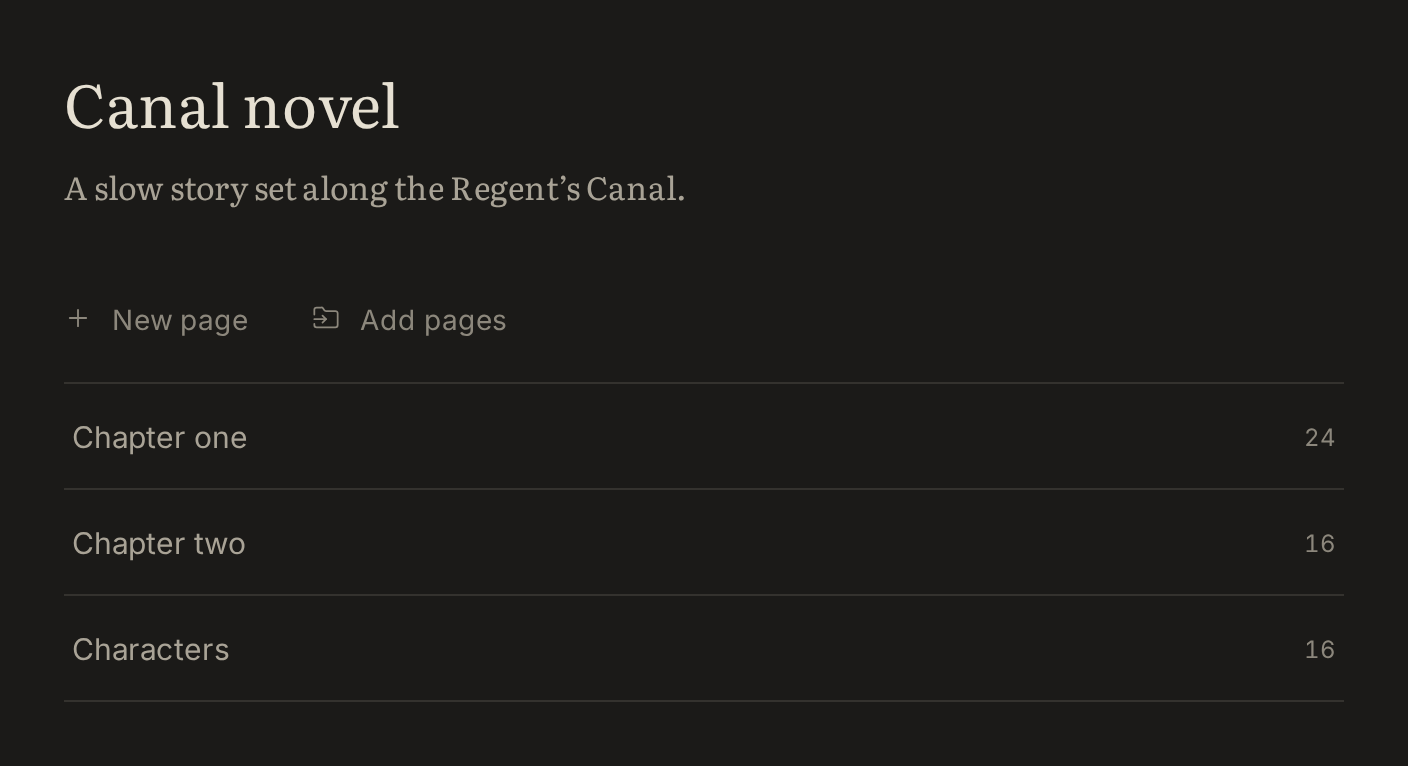
An open notebook shows its name, its description, and all its pages. Click a page to start writing in it.
On a phone, tapping a notebook in the menu shows its pages right there in the menu. Tap Edit to open the full notebook, where you can change its name and description.
Adding pages
There are two ways to fill a notebook.
Write a new page in it:
- In an open notebook, choose New page.
- On a computer, you can also point at the notebook in the page list and click the + that appears.
- On a phone, open the notebook in the menu and tap New page here.
Move pages you already have: in an open notebook, choose Add pages. Pick pages from your main list or from other notebooks, then confirm. They move into this notebook. On a phone, the menu has an Add pages button too.
A page can only be in one notebook, so adding it here takes it out of where it was.
Moving a page out
In an open notebook, point at a page (on touch screens the buttons are always shown) and choose the Move out of notebook button. The page goes back to your main page list. Nothing is deleted.
You can also delete a page from here with the bin button. You get the usual Undo, as with any page.
Deleting a notebook
At the bottom of an open notebook, choose Delete notebook and confirm.
Deleting a notebook doesn’t delete its pages. They move back to your main page list.
Journals are notebooks too
A journal is a kind of notebook with a few extra steps: dated entries, a starting template, and a look back at your progress. See Journals.